8.12.2008

taking control

We seem to constantly have computer problems, although things seem to be on the up and up. Here are a bunch of pictures from our playdate(s) on friday. In no particular order:

IMG_0229web

IMG_0139web

His hair is starting to take control

JT

IMG_0123web

IMG_0106web

IMG_0104web

IMG_0063web

IMG_0219w

8.05.2008

Fields of Green

Yesterday, well actually 2 days ago I guess, we went to my grandparents' place for my grandfather's birthday. I've been itching to take pictures in their alfalfa field for a while now.

IMG_9995w

IMG_0032w

IMG_0042w

Now I'm itching to take advantage of some of the sunflower fields around here. Now if only there are any cute little blond hair girls out there (hint hint)...

8.04.2008

gone

I was 13 and you were...way too old...but I had a crush on you since then. You were funny. You were charismatic. You drank like a fish. You peppered every compliment with an insult. You were the life of the party. You were the best make out session I ever had. You will be missed Josh.

8.01.2008

Swingers

Yesterday we met up with Jenya over at Lake Merritt in Oakland. We intended on walking the lake, but got sidetracked by the sudden yelling of "paygroun! Paygroun!" coming from the stroller. So we went on the swings instead.

IMG_9953w

IMG_9945w

IMG_9930w

7.21.2008

Spotty

Hey! I thought I'd whip up a photoshop tutorial for ya'lls. The worse type of lighting to photograph people in, right up there with full sun, is dappled light.

If you expose for where the light breaks through the trees you'll get underexposed areas
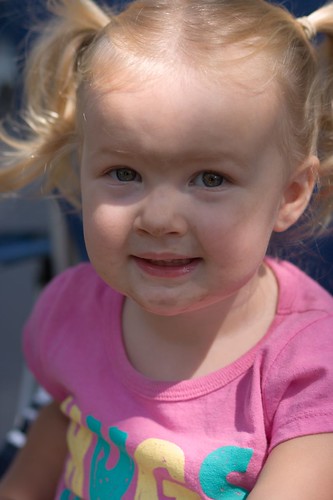
2008 07 19_0968sooc

If you expose for the areas that are shadowed you'll get blowouts.
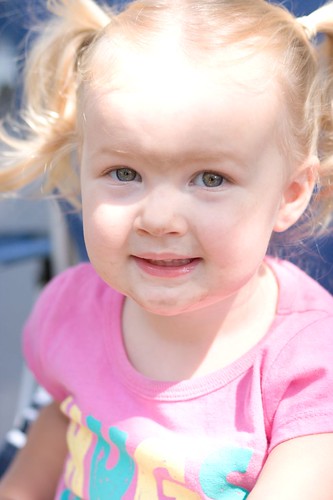
2008 07 19_0968sooc2

So what do you do?
1) lift the shadows with fill flash
2) bounce light from a reflector
3) photoshop it!

Normally for one of my sessions I'll avoid this type of lighting or use option #2. Its best to get things right in camera after all...However when I'm out camping and taking snaps the last thing I want to do is carry around cumbersome equipment. I despise on camera flash to option #1 is out of the question, and I'm not about to bust out with my speedlite while we are sitting around the camp fire. So lets get photoshopping!

Open your picture (duh). Here I used the one with some underexposure. When you get blowouts like the image above you lose data in those areas...they become big white blobs and when you send you image to your lab or home printer nothing will print there. On your channels palette while holding [ctrl] click on RGB. All of the bright areas of the picture will be selected.
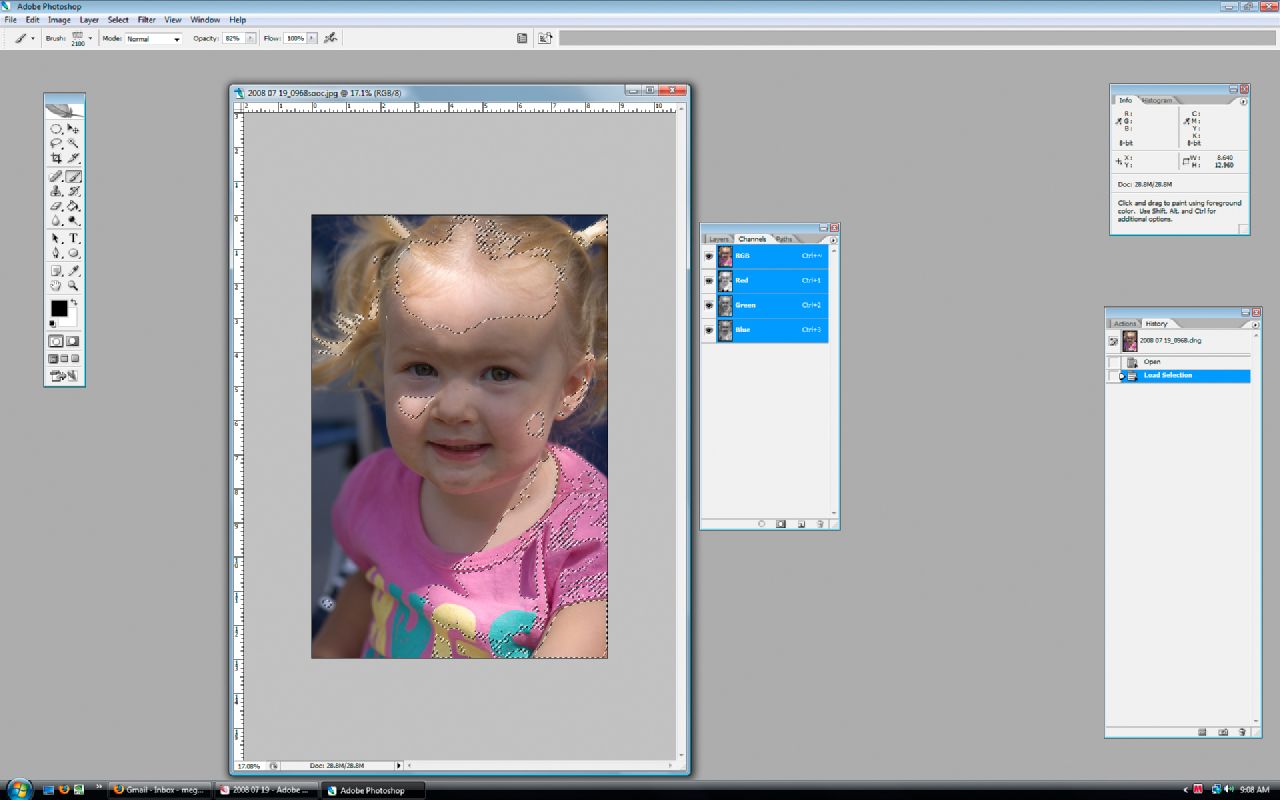
Untitled-1

Hit ctrl+shift+i to inverse this selection (also found under select>inverse). Now all the dark areas are selected. Make a new layer using this selection (ctrl+j) and set it to screen.
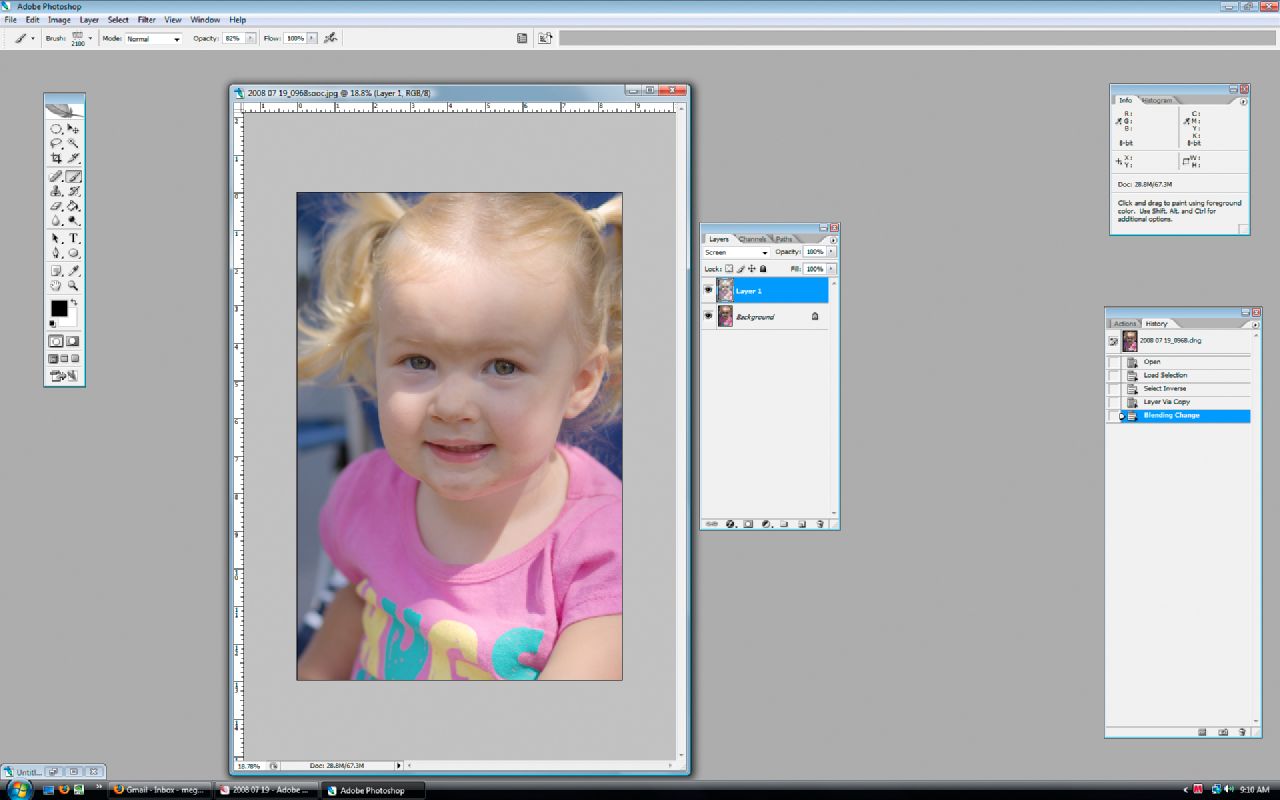
Untitled-3

Adjust the opacity of this layer as necessary and then carry on with your normal photo processing (if you do any).

Here is my final image:
2008 07 19_0968web

7.11.2008

Going potty is tough

I went to check on the boys the other night before I went to bed. They have a tendency of getting up and playing or walking around the room and then passing out in various spots. This is what I was greeted with the other night:

potty break!

I forgot that Job dragged his potty chair in there. He took off his diaper, peed, dumped the bucket of pee into the base of the chair, sat back down, fell sleep, and peed again (this time all over the place). Fun!

On a side note, see how messy their room is? I need to find a way to lock their closet. They empty out their dresser every nap and bed time.